A modern dashboard for the GoatCounter you already run.
gtcd signs in with your GoatCounter account, reads every report through the API and adds what the stock interface leaves out: saved views, share links, alerts, dark mode and a phone layout. GoatCounter keeps counting, unchanged.
- Stock GoatCounter 2.7
- Svelte 5
- Docker Compose or Kubernetes
- English and Bahasa Indonesia
- WCAG 2.1 AA
Every report, faster to read.
The same GoatCounter data, read through its API and laid out to be scanned. Period, filter and grouping live in the URL, so every view is a link.
Overview
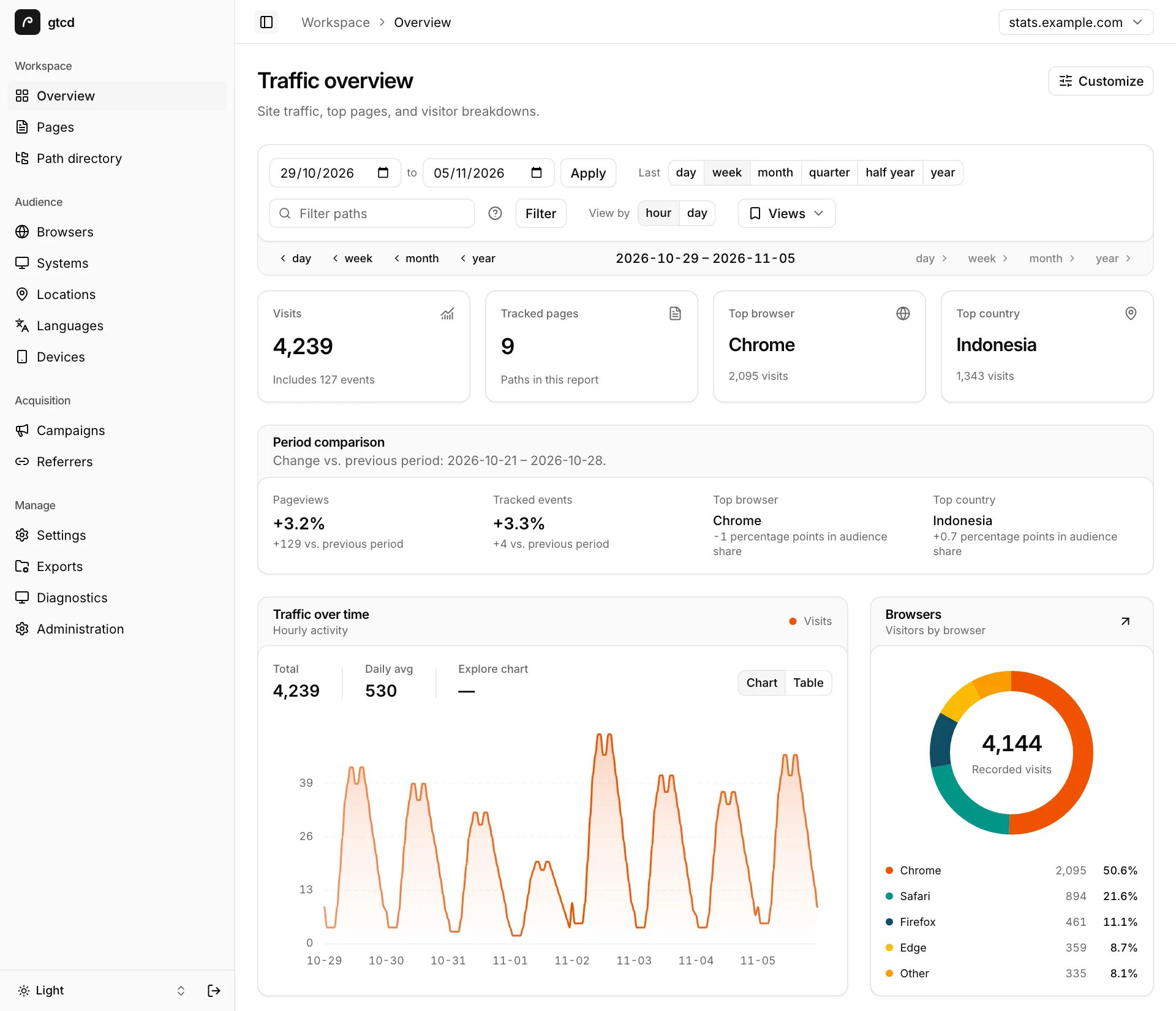
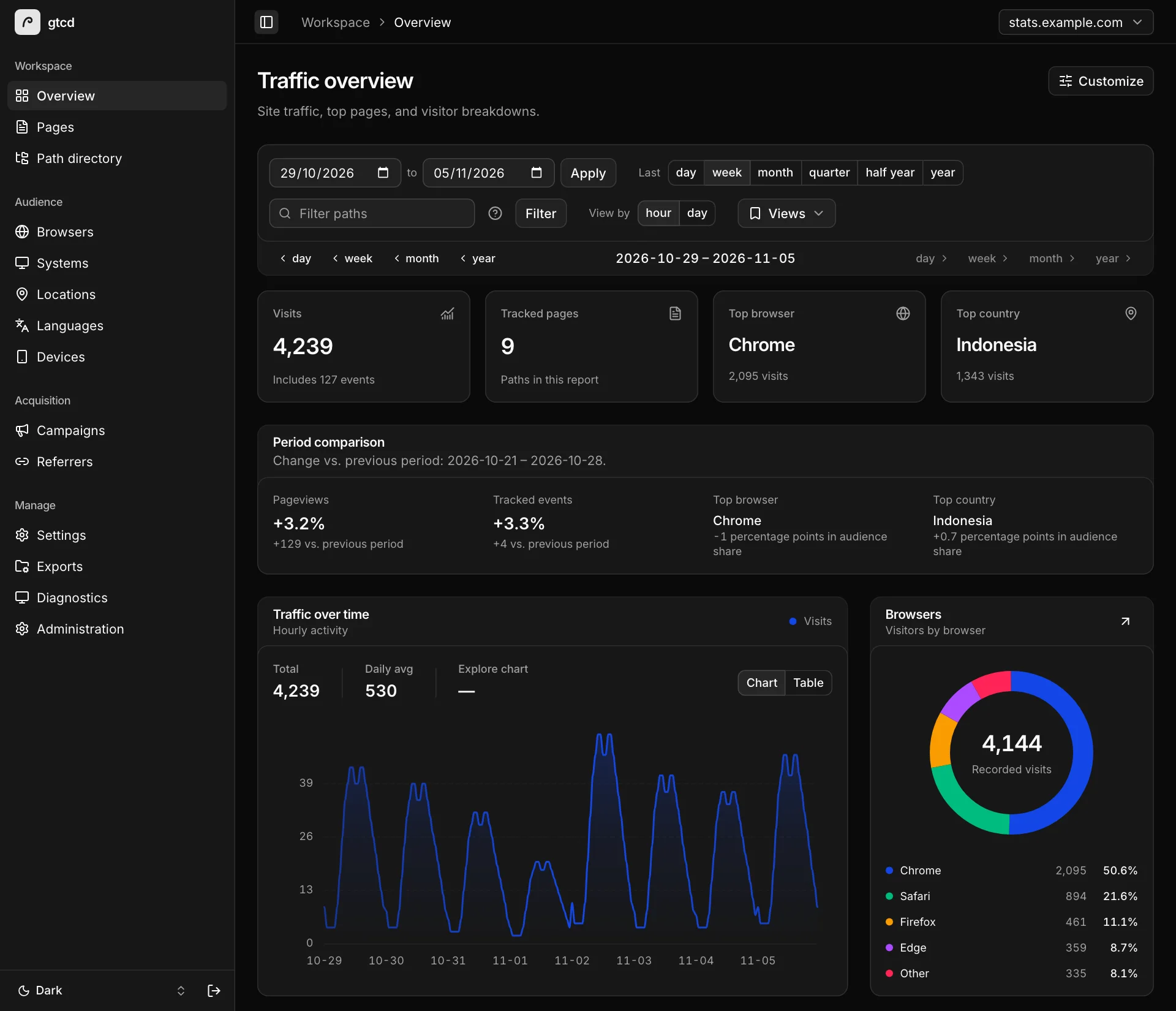
Visits, tracked pages, top browser and top country sit at the top. Below them: an hourly or daily chart, the change against the previous period, and the browser mix. Each widget streams in as GoatCounter answers, so the first number is on screen before the last request returns.
Pages and referrers
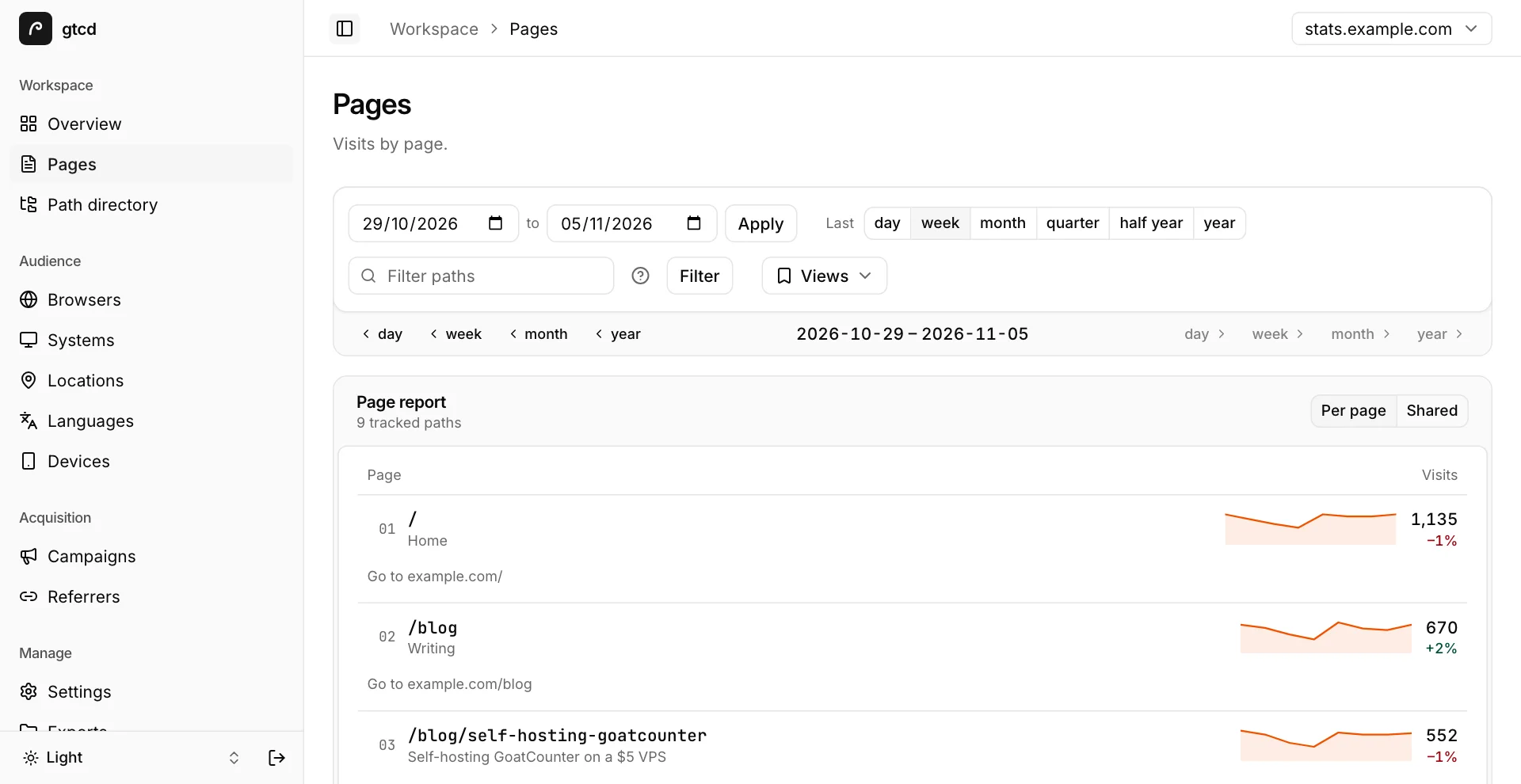
Visits by page with a sparkline per row, switchable between a per-page and a shared scale. Open a page to see the referrers that sent traffic to it. Pagination uses server-side cursors, so a long path list stays quick.
Audience
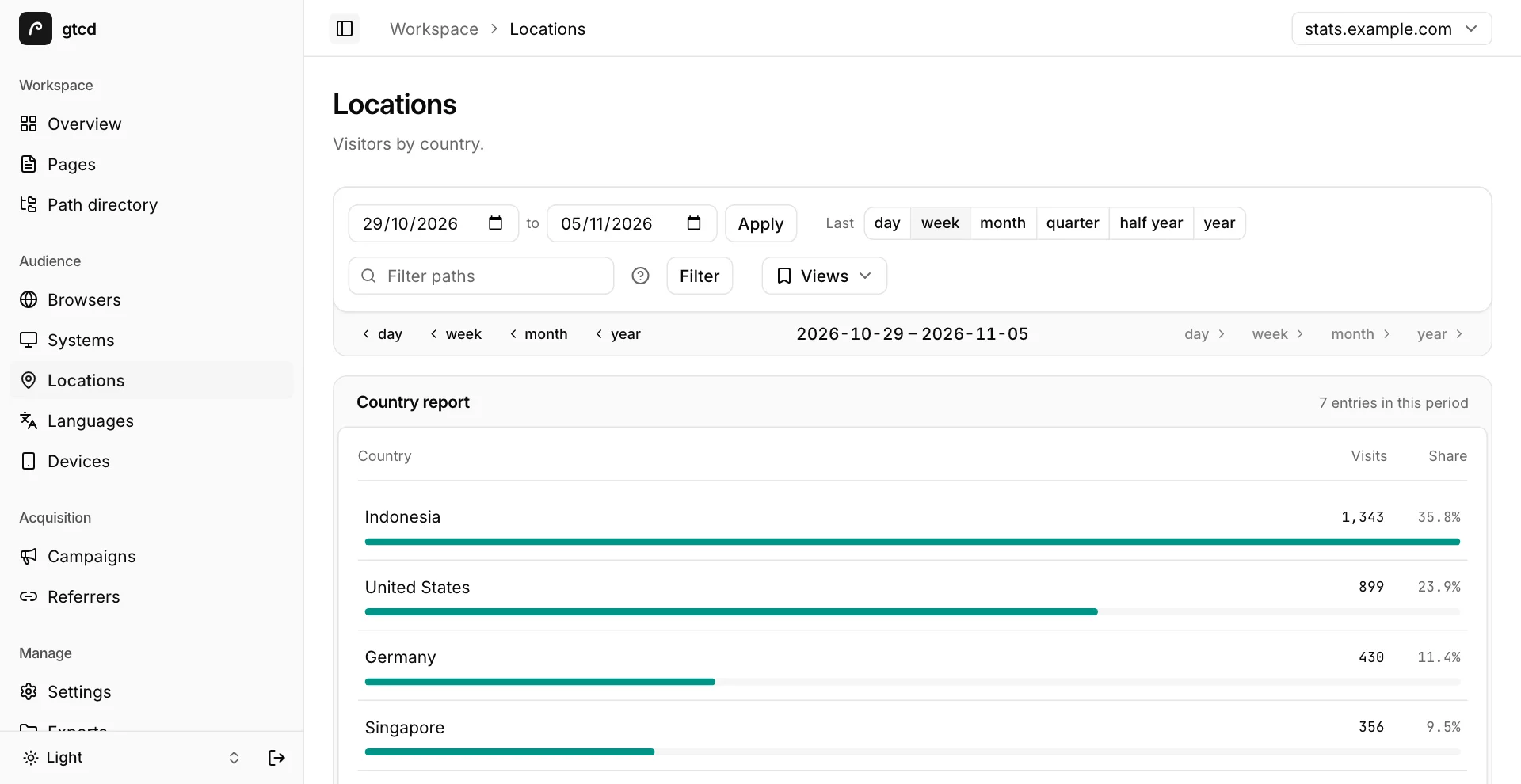
Browsers and systems with version drill-downs, then locations, languages, screen sizes, campaigns and referrers. Every chart ships with a screen-reader table, and a CSV download saves the rows on screen.
Share without accounts
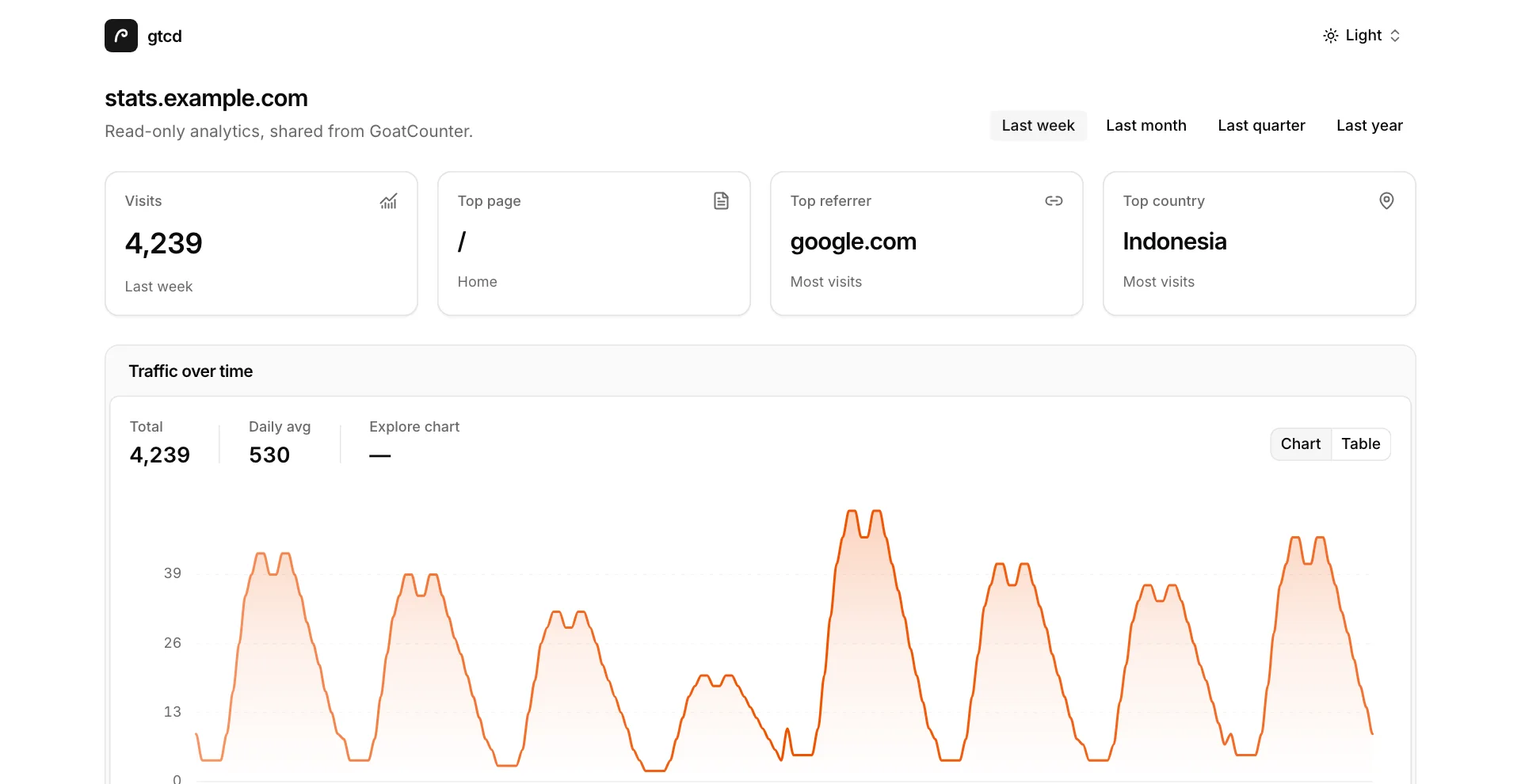
Administrators create read-only links with an expiry of 1, 7 or 30 days, or none, a fixed date range and a list of allowed metrics. The person opening the link needs no account. Revoke a link and it stops working.
Make it yours
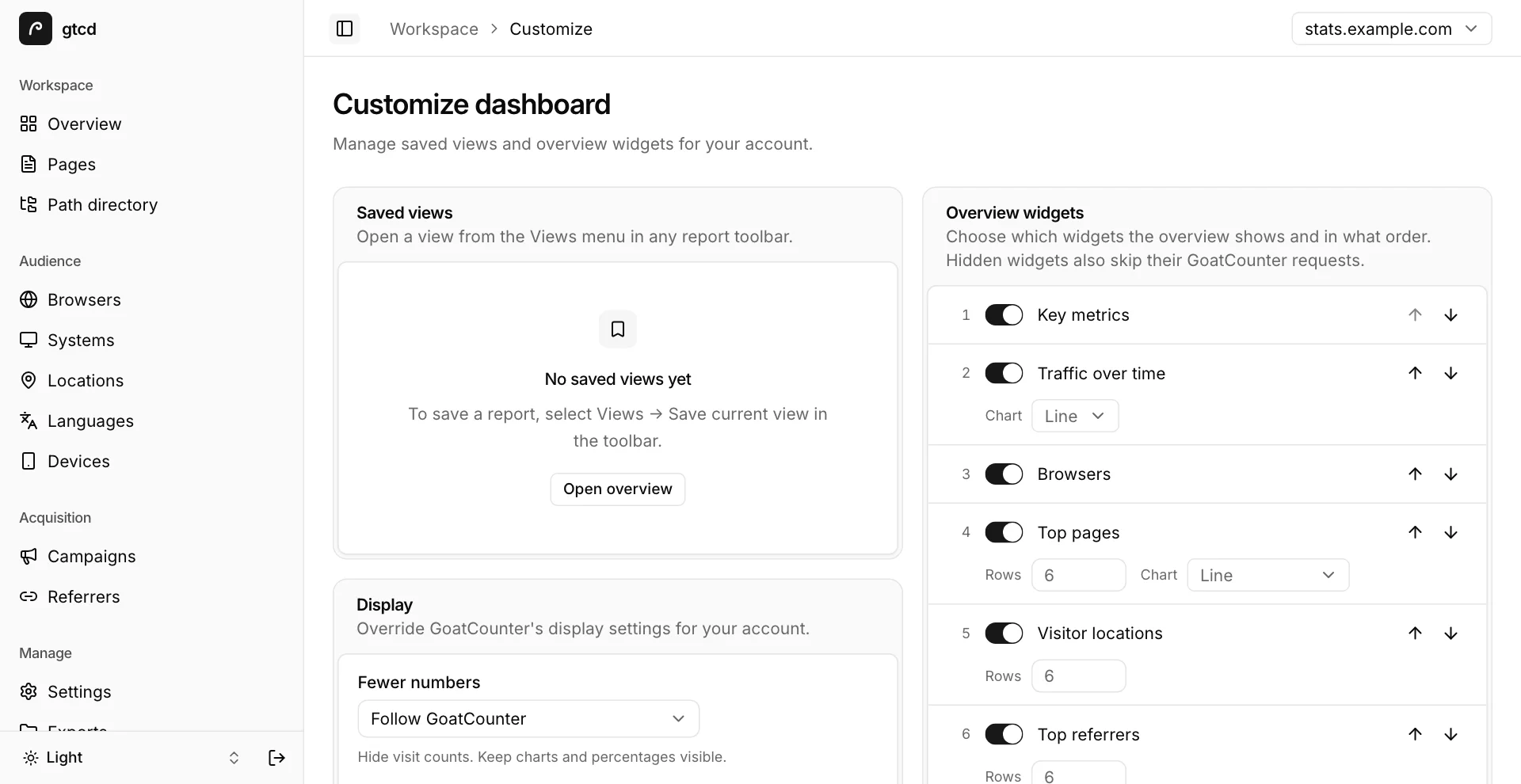
Save a report's period, filter and grouping as a view. Reorder or hide overview widgets; hidden widgets also skip their GoatCounter requests. Override the date format, number separators and fewer-numbers mode per user.
Dark mode and a phone layout
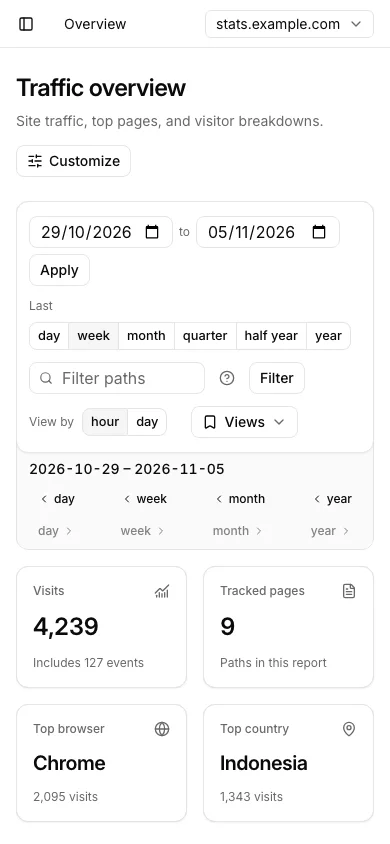
Light, dark or system theme. Below 1024px the sidebar becomes a drawer, the toolbar stacks and the KPI tiles wrap to two columns. Install it as a PWA and it opens like an app.
Running in three commands.
One script asks for your domain and a GoatCounter admin account, creates the site and the API token, writes .env and starts the stack. Open your domain and sign in with that account.
git clone https://github.com/haikelz/gtcd.gitcd gtcd./scripts/setup.sh<script
data-goatcounter="https://analytics.example.com/count"
async
src="https://analytics.example.com/count.js"
></script> What runs
- Caddy
- TLS and routing: /count and /counter/* go to GoatCounter, the rest to gtcd.
- GoatCounter 2.7
- Tracking, reports and the database. Unmodified upstream image.
- Redis 7
- Sessions, the report cache, preferences, share grants and delivery jobs. Password-protected, persisted.
- gtcd
- The dashboard. One non-root Node 26 container.
Kubernetes manifests and a deploy script live in k8s/. CI publishes amd64 and arm64 images to Docker Hub.
Also in the box.
The reports are the reason to install it. These are the parts you keep using afterwards.
- Email summaries and alerts
- Scheduled summaries and daily traffic alerts over your own SMTP server, as a per-user opt-in.
- Slack, Discord, Telegram, webhooks
- The same alerts and summaries to a channel, or to a JSON endpoint you run.
- Goals and campaigns
- Conversion measured over page visits, and a builder for tagged campaign links.
- Administration
- Site settings, users, API tokens, two-factor setup, imports, page cleanup and exports, through your own GoatCounter session.
- Audit log
- A record of administrator actions and of everyone's security changes.
- Command menu
- Cmd+K or Ctrl+K jumps between reports. Cmd+B or Ctrl+B toggles the sidebar.
- Multiple sites
- Switch between every site the API token can reach, with the choice kept in the URL.
- English and Bahasa Indonesia
- Timezone, date format, 24-hour clock and number separators follow your GoatCounter settings.
Built to sit in front of production.
gtcd sits on the public internet with the one credential that can read every report, so it is built like a service that expects to be probed.
The API token stays on the server.
Every GoatCounter request goes through the Node backend. The browser only ever holds an HTTP-only session cookie.
Login is GoatCounter login.
Email, password and the two-factor code are checked against GoatCounter. Failed attempts are limited per email and, behind a proxy, per client address. Cloudflare Turnstile is optional.
Paced under GoatCounter's own limit.
Calls are spaced to stay under the API rate, 4 a second by default, with a 12% margin. A 429 pauses every queued request for as long as Retry-After says.
Administration runs as you.
Native admin forms use your own GoatCounter session, so GoatCounter's permissions still apply. The shared token never elevates anyone.
Webhooks reach public HTTPS hosts only.
The target is checked against the address actually connected, redirects are refused, and secrets display masked.
No third-party requests.
A Content Security Policy with per-request nonces, no inline scripts, and self-hosted fonts. The PWA caches app assets, never reports.
Fails safe without Redis.
Sessions and the report cache fall back to memory. Saved views, share links and email jobs refuse to write instead of pretending they did.
Questions before installing.
Does gtcd replace GoatCounter?
No. It is a second interface over a stock GoatCounter 2.7 server. Tracking, storage and GoatCounter's own pages stay exactly as they are, and you can keep using both.
Do I need a new account?
No. You sign in with your GoatCounter email, password and, if you use one, your two-factor code. gtcd checks them with GoatCounter and keeps the session in Redis behind an HTTP-only cookie.
Does it work with goatcounter.com?
gtcd talks to any GoatCounter server it holds an API token for. On goatcounter.com the API limit is 4 requests a second, which is gtcd's default pace. The bundled Compose stack runs its own GoatCounter at 20.
What does Redis store?
Sessions, a 30-second report cache, saved views, overview layout, share grants, goals, chart notes, notification channels and delivery jobs. The Redis state guide covers upgrades and backups.
Is it accessible?
Keyboard navigation throughout, a screen-reader table for every chart, visible focus, meters with real values and reduced-motion support. The target is WCAG 2.1 AA.
Where does it run?
Docker Compose is the supported stack: Caddy, GoatCounter, Redis and gtcd from one setup script. Kubernetes manifests and a deploy script are in the repository, and CI publishes multi-architecture images.
Point it at your GoatCounter this afternoon.
Three commands with Docker Compose. Your existing account signs in, your existing data shows up.